2026-05-15
Finderで画像をCmd+V保存できるようにする ... users
はじめに
スクリーンショットや生成画像を扱っていると、画像をコピーしたあとに Finder のフォルダへそのまま貼り付けたくなります。
でも macOS の Finder は、画像データそのものを Cmd+V しても、その場に PNG として保存してくれるわけではありません。いったん Preview や画像編集アプリを挟むのは、毎回やるにはちょっとだけ重い。
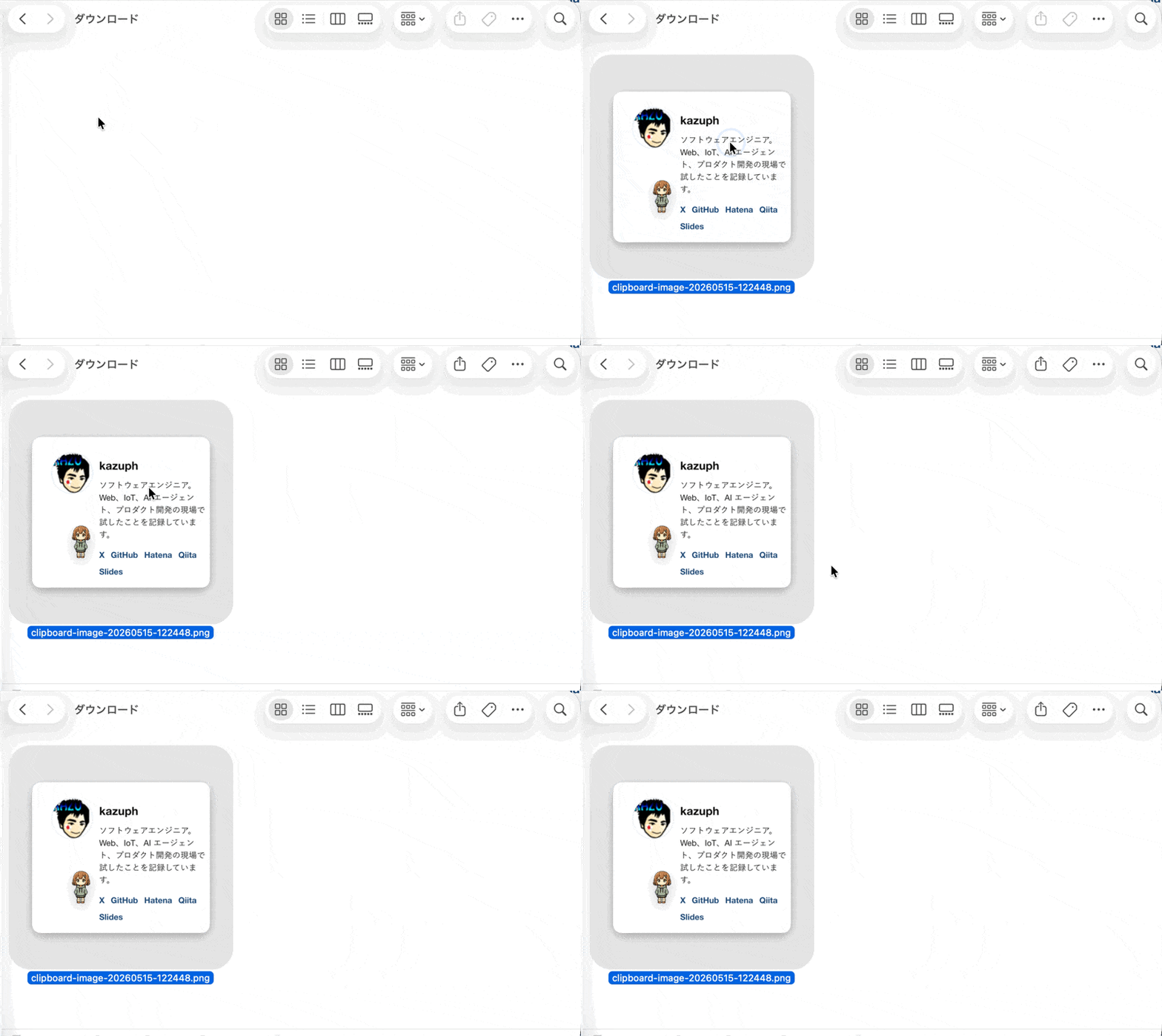
そこで、Finder が前面にあるときだけ Cmd+V を拾って、クリップボードの画像を開いているフォルダに clipboard-image-YYYYMMDD-HHMMSS.png として保存するようにしました。
追記: 普通のファイル貼り付けに影響することがある
この記事を書いたあと、最初の実装には困るパターンがあることに気づきました。Finder で普通にファイルをコピーして別フォルダへ Cmd+V したときまで、この画像保存スクリプトが先に動いてしまいます。
特に画像ファイルをコピーしている場合、pasteboard には「ファイル参照」と「画像として読めそうなデータ」が同時に見えることがあります。その状態で NSImage(pasteboard:) を先に読むと、ユーザーとしてはファイルを移したいだけなのに、ファイルコピーではなく PNG 保存として扱われてしまいます。
もうひとつの問題は fallback です。画像ではないと判断したあとに Cmd+V を送り直すだけだと、Karabiner の同じルールにまた捕まって、通常の Finder ペーストに戻りません。つまり、便利にしたかった Cmd+V が Finder の普通の Cmd+V を邪魔していました。
どうやって
最短構成は、Karabiner-Elements の Finder 限定ルールと、小さな zsh スクリプトの組み合わせです。
まず、保存処理を ~/dotfiles/bin/finder-paste-clipboard-image に置きました。Finder の前面ウィンドウのディレクトリを AppleScript で取り、Swift から NSPasteboard を読んで PNG として書き出します。
finder_dir=$(/usr/bin/osascript <<'APPLESCRIPT'
tell application "Finder"
  if (count of Finder windows) > 0 then
    POSIX path of (target of front Finder window as alias)
  else
    POSIX path of (desktop as alias)
  end if
end tell
APPLESCRIPT
)
画像が取れたら、同じフォルダに時刻付きの PNG を保存します。ただし、pasteboard にファイル参照が含まれている場合は画像保存に進まず、Finder 標準の Paste メニューへ戻します。
let pasteboard = NSPasteboard.general

func fileURLs(from pasteboard: NSPasteboard) -> [URL] {
    if let objects = pasteboard.readObjects(forClasses: [NSURL.self], options: nil) as? [NSURL] {
        return objects.map { $0 as URL }.filter(\.isFileURL)
    }
    return []
}

let sourceURLs = fileURLs(from: pasteboard)
if !sourceURLs.isEmpty {
    exit(2)
}

if let pngData = pasteboard.data(forType: .png) {
    try pngData.write(to: outputURL, options: .atomic)
    exit(0)
}

if let image = NSImage(pasteboard: pasteboard),
   let data = pngData(from: image) {
    try data.write(to: outputURL, options: .atomic)
    exit(0)
}
ここで先に file URL を見ているのが大事です。Finder でファイルをコピーしたときも pasteboard には画像っぽいデータが入ることがあり、特に画像ファイルを複数選択していると NSImage(pasteboard:) が 1 枚の画像として読めてしまいます。
改善版では、ファイル参照が含まれている場合は画像保存に進まないようにしています。そこでスクリプトを終えて Finder 標準の Paste メニューへ戻す方針です。ただし Cmd+V 自体を Karabiner で横取りしている以上、環境や Finder の状態によっては通常のペーストに影響する可能性があります。
次に、~/.config/karabiner/karabiner.json の各 profile へ、Finder が前面のときだけ動く Cmd+V ルールを追加しました。
{
  "description": "Finder: Cmd+V saves clipboard image into the open folder",
  "manipulators": [
    {
      "conditions": [
        {
          "bundle_identifiers": ["^com\\.apple\\.finder$"],
          "type": "frontmost_application_if"
        }
      ],
      "from": {
        "key_code": "v",
        "modifiers": {
          "mandatory": ["command"],
          "optional": ["any"]
        }
      },
      "to": [
        {
          "shell_command": "~/dotfiles/bin/finder-paste-clipboard-image"
        }
      ],
      "type": "basic"
    }
  ]
}
Karabiner 側は Cmd+V を Finder 前面のときだけこのスクリプトへ渡す係です。ここでは「画像か、ファイルか、通常ペーストへ戻すか」の判定を Karabiner の JSON に押し込まず、スクリプト側に寄せています。JSON の役割を小さくしておくと、複数 profile に同じルールを入れても挙動がずれにくくなります。
画像でもファイル参照でもないものを貼り付けた場合は、スクリプトの中で Finder のペーストメニューを直接クリックします。Cmd+V を送り直すと Karabiner に再捕捉されるので、メニュー項目を使うのがポイントです。
fallback_paste() {
  /usr/bin/osascript <<'APPLESCRIPT'
tell application "System Events"
  tell process "Finder"
    tell menu 1 of menu bar item 4 of menu bar 1
      if exists menu item "ペースト" then
        click menu item "ペースト"
      else if exists menu item "Paste" then
        click menu item "Paste"
      end if
    end tell
  end tell
end tell
APPLESCRIPT
}
確認方法
設定を入れたあと、Karabiner の JSON とスクリプトを確認しました。
$ zsh -n ~/dotfiles/bin/finder-paste-clipboard-image

$ karabiner_cli --lint-complex-modifications ~/.config/karabiner/karabiner.json
~/.config/karabiner/karabiner.json: ok
最後に、一時フォルダを Finder で開き、1px の PNG をクリップボードへ入れてスクリプトを実行しました。
$ find /tmp/finder-image-paste-verify.* -name 'clipboard-image-*.png' -exec file {} \;
clipboard-image-20260515-093313.png: PNG image data, 2 x 2, 8-bit/color RGBA, non-interlaced
操作としては、次の2つを確認しました。
- 画像データをコピーして Finder で
Cmd+Vすると、開いているフォルダに PNG ファイルが作られる。 - Finder で複数ファイルや画像ファイルそのものをコピーして
Cmd+Vした場合は、PNG 化しないように file URL を先に判定する。
おわりに
これで、Finder を開いて画像をコピーし、そこで Cmd+V するだけで PNG が吐き出されます。ただし Finder の通常ペーストまで同じキーで扱うため、使う場合は上の注意点も込みで試すのがよさそうです。
Enjoy, instant image files!